

Hi, I’m John. You’re likely here to learn about my work – welcome!

I’ve been leading training teams for the last ten years. My rigorous design and development work returned on its investment at top institutions and fortune companies across the US.

I am passionate about solving problems, especially the challenges in training leadership.
I treat my business as a racer does – constantly pushing to incrementally improve and with a strong drive to win! Please continue below to see case studies of my work.

Warning! The following images and documents are protected property, do not distribute or use.
U.S. House Employee Cloud Security Training (Computer-Based Training)

I specialize in making sense of dense technical knowledge. I partnered with the Office of Cybersecurity at the U.S. House to design this succinct Cloud Security training. I have a wealth of tech experience from work at a research technology office, a major telecom, and as a cybersecurity consultant. My expertise allows me to provide knowledge leadership and guide trainings to success.

The client requested an interactive 15-minute training. That starts with presenting the agenda and creating learning expectations for the user. This agenda was made to represent the shape and size of the training, and does a good job drawing the user’s attention. I included a custom banner that creates memorable branding and consistency throughout. I chose large navigation buttons because our priorities included mobile-use and accessibility.
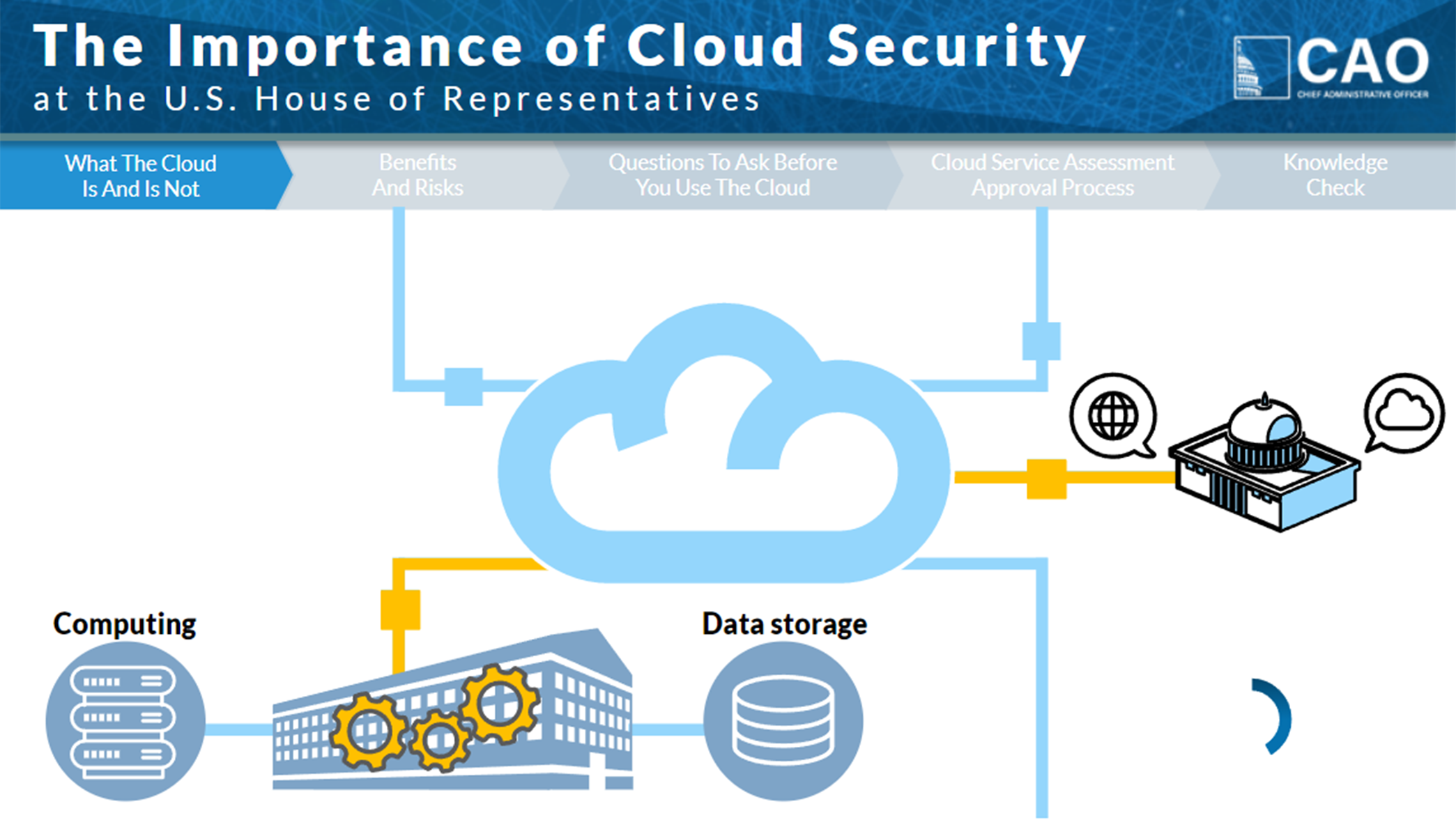
Here I used movement to demonstrate ideas more clearly. The gears turn and the “data is transferred” as shown in yellow. My recorded voice is timed precisely to the moving elements, with words spoken as their visual counterparts appear.
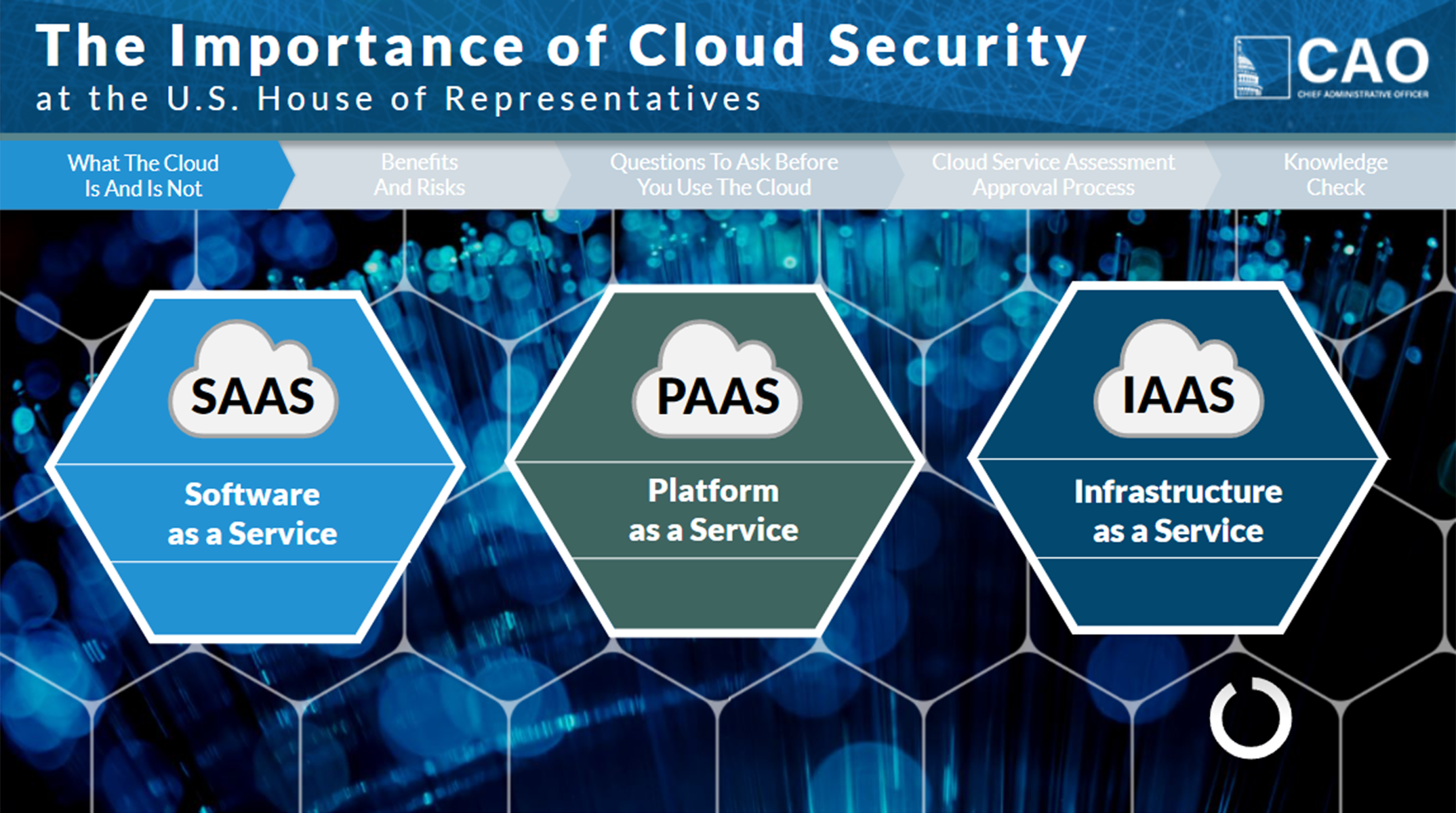
Let’s face it – not all content is easy to visualize. In these cases I leverage type, geometry, images, and color all. You can see evidence of a slide timer in the bottom right. The timer keeps users anchored to the content and provides a constant road marker.
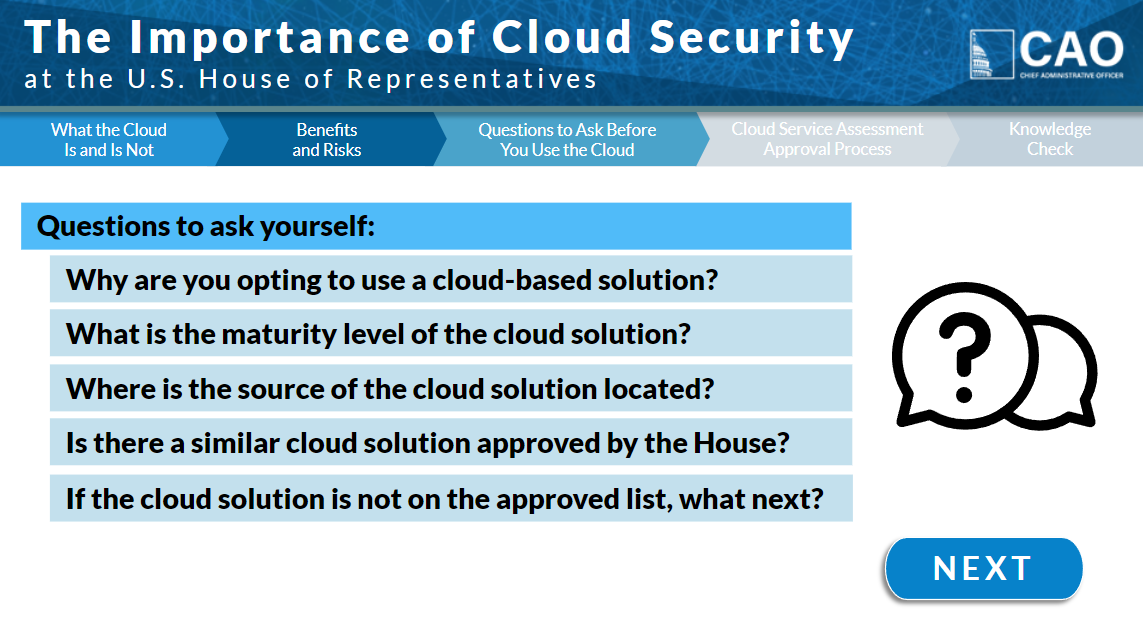
The client requested that the user could navigate back to earlier content at any time. To achieve this, I included a clickable navigation bar below the banner. By getting the color palette approved early on, I only had to develop the navigation bar once.
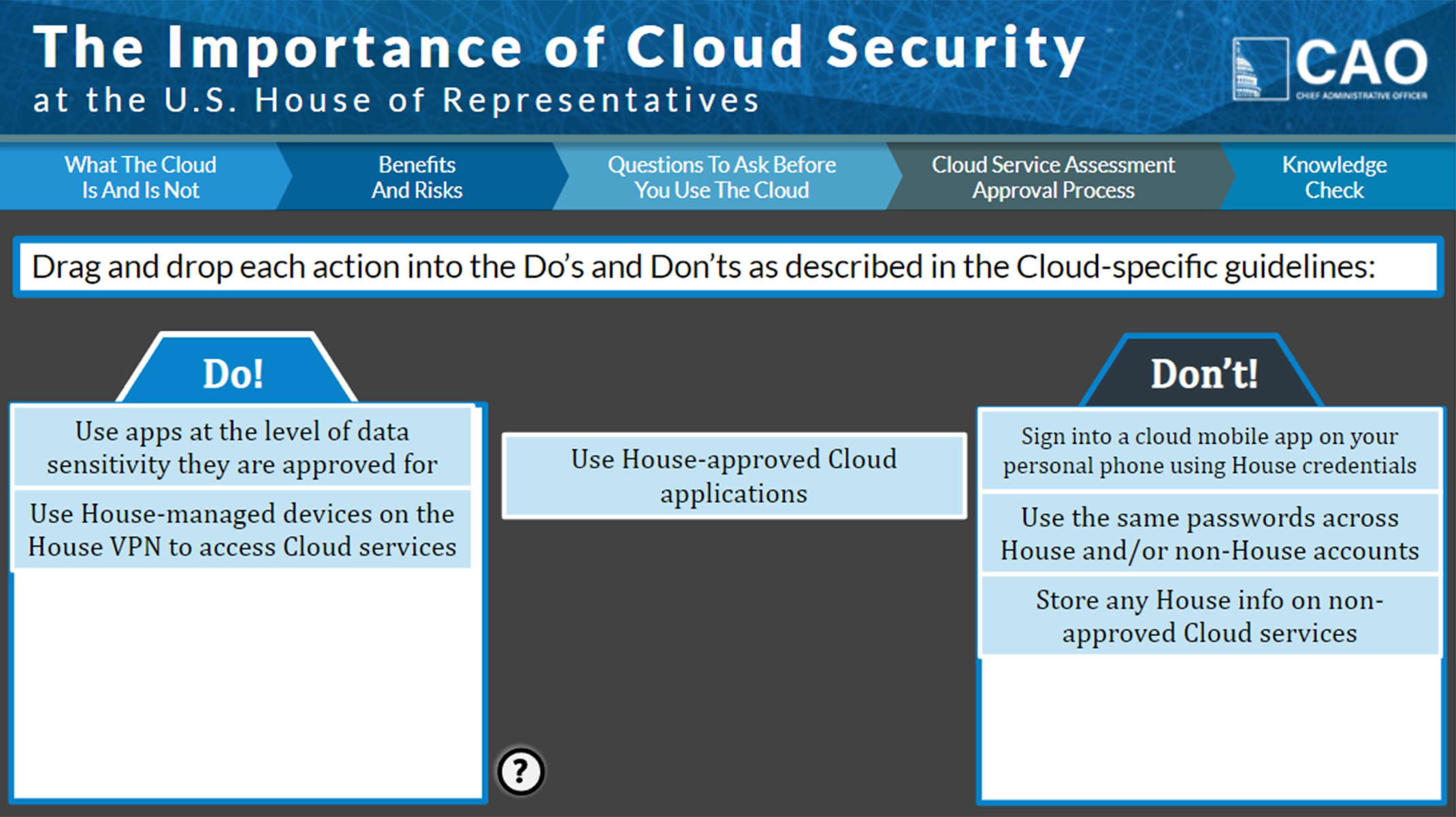
To close the training, I created a drag-and-drop activity. Interactions are more engaging than quizzes yet test knowledge in the same way. This training was very well-received by the client and received great feedback from users alike. The Office of Cybersecurity dropped their existing third-party training vendor and requested me to create the rest of their training catalog.
The Bridge (Consultative Resource)
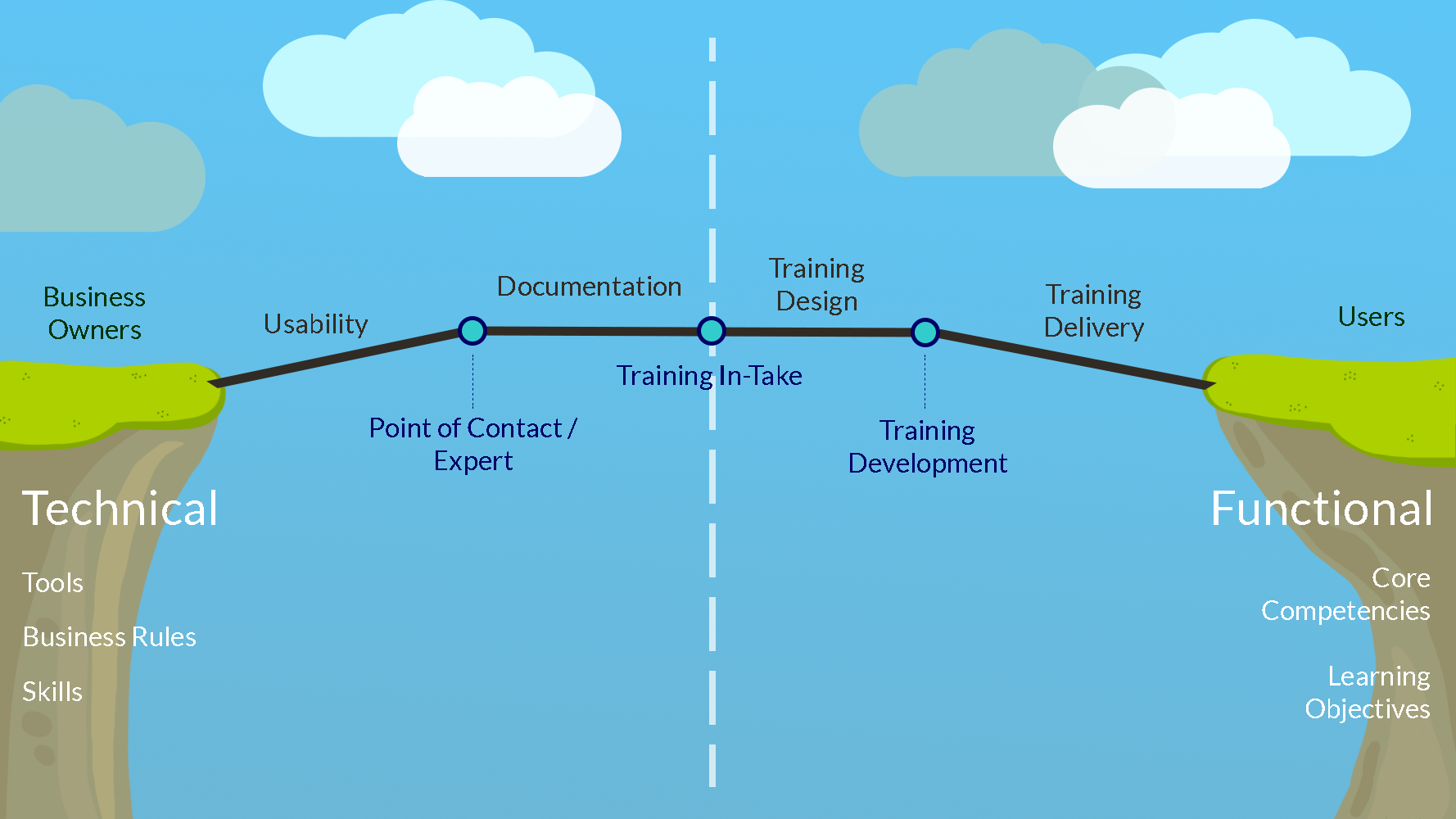
“The Bridge” represents the full training process and it’s necessary components. We want information to cross the bridge efficiently from left to right (from the business to the user). To do this, each component must be addressed in order. Those to the left of the center line are a business owners’ responsibility. I am available as a partner to help them fix their tools, find experts, and stand up documentation. Everything right-of-center is training’s responsibility. I have a deep understanding of each training component and have worked hard to automate them throughout my career.
Room Scheduler Tool (Promotional Video with Demo)
I was asked to increase awareness around a new employee tool, the Room Scheduler. The client requested I demonstrate how to use each function. The design challenge here was getting through the demos and business rules quickly. I accomplished this through succinct writing and clear on-screen indicators. Users can always “back-up” and pause a video, so I say things only once.
I completed this project (and three companion videos) alone. I performed the in-take with CAO leadership, worked closely with tool developers to access the beta tool and launch our products simultaneously, wrote the script and got it approved early on, performed screen recording, voice recording, video editing, testing, and had it ready for review in time. This project was high-visibility and, like much of my hard work, reflected well on our team.
U. S. House Employee Ethics Training (Computer-Based Training)
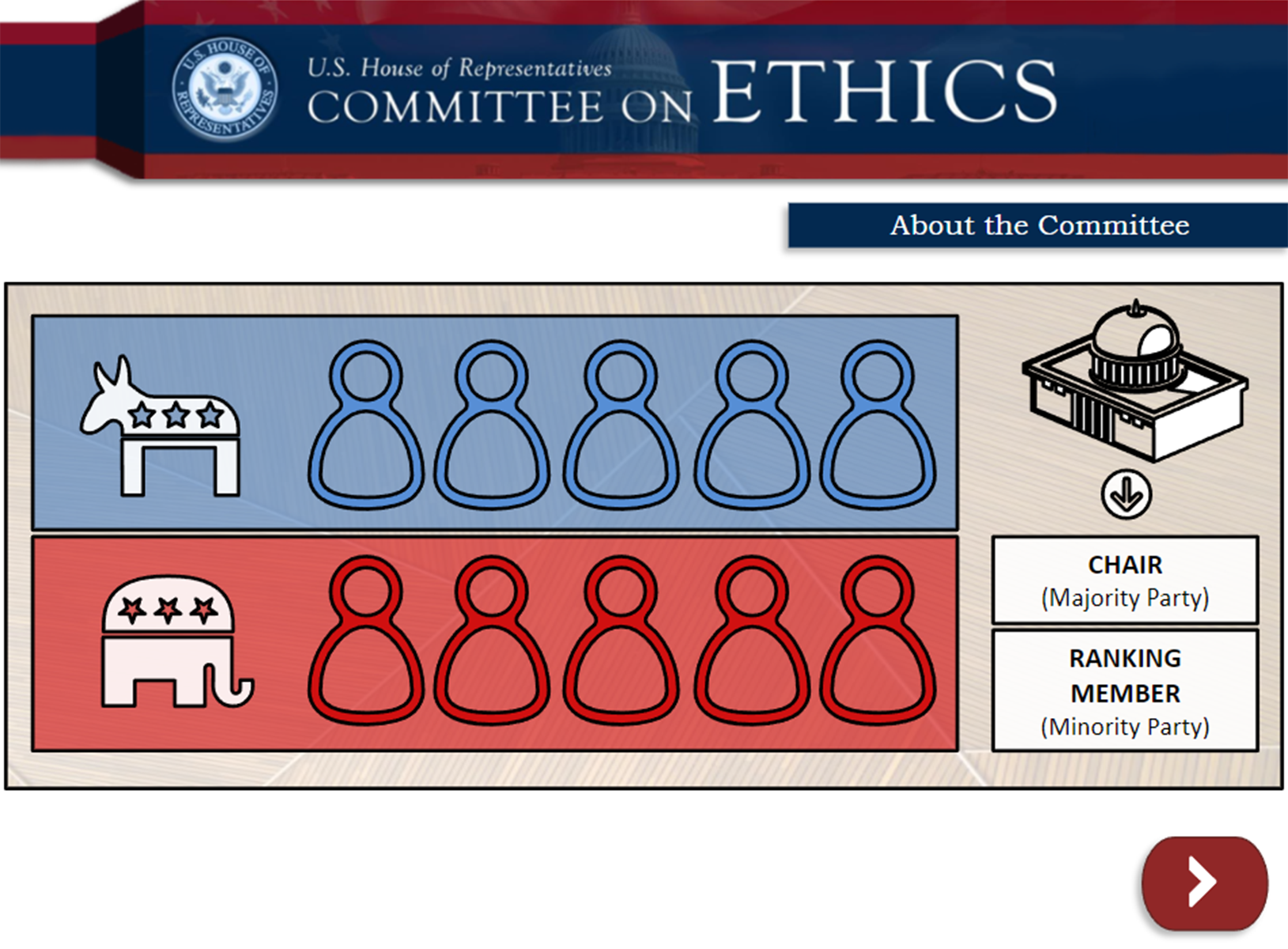
The Employee Ethics Training was an extremely dense training, reminding all House staff of ethics rules relevant to their jobs. Giving life to this training was a tough design challenge. I was committed to making this training as visually appealing and easy-to-digest as possible and I learned much in doing so.
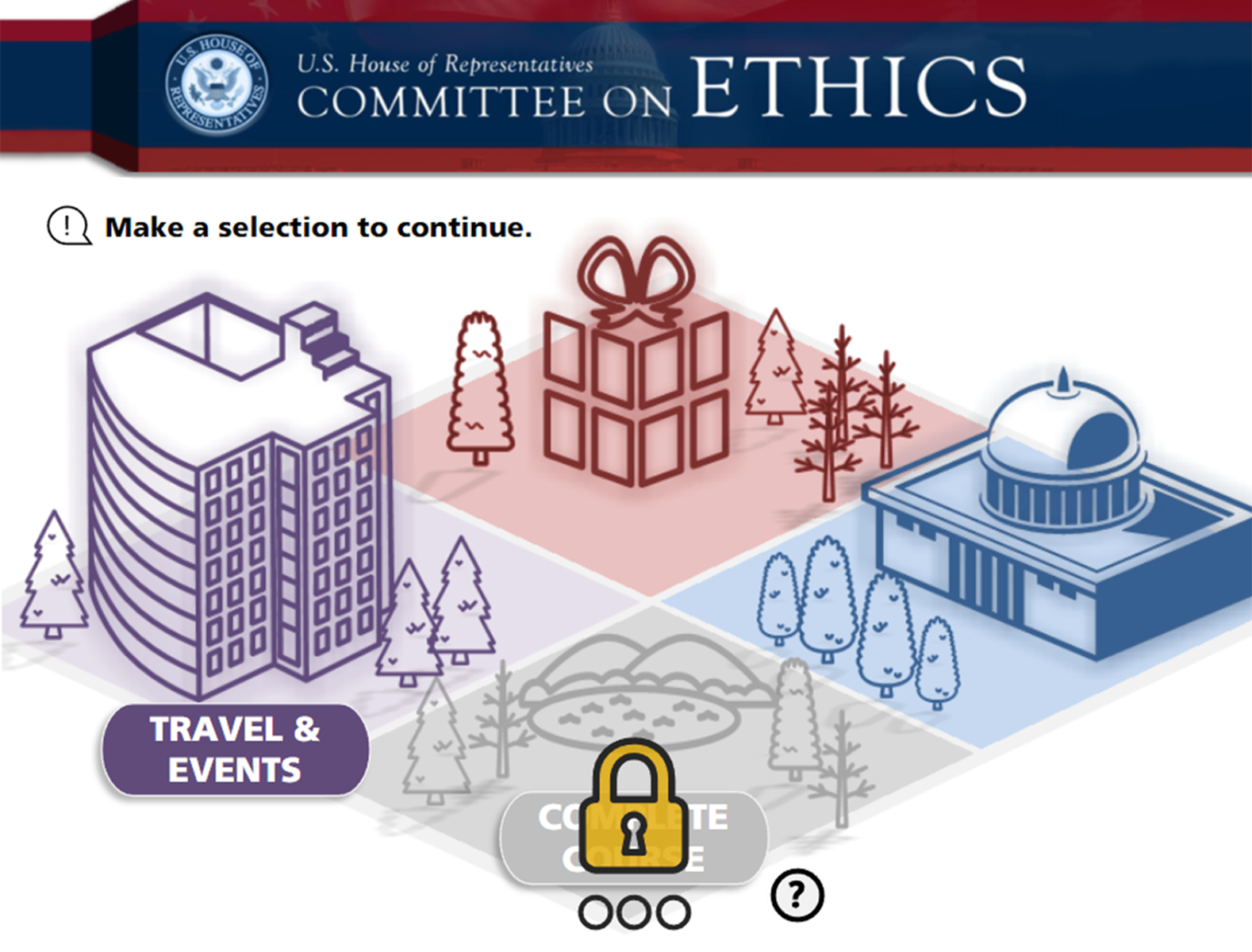
Instead of one massive hour-long linear training, I broke it into parts and created a navigation page. This challenged users to complete the task and also opened the opportunity for users to complete sections and come back later.

Instead of showing text on screen via endless bullet points, I chose to illustrate every idea with icons and canonical images. I used one-page design so the scope of the process is easily understood. I used branding and visuals from elsewhere in the training to provide consistency.
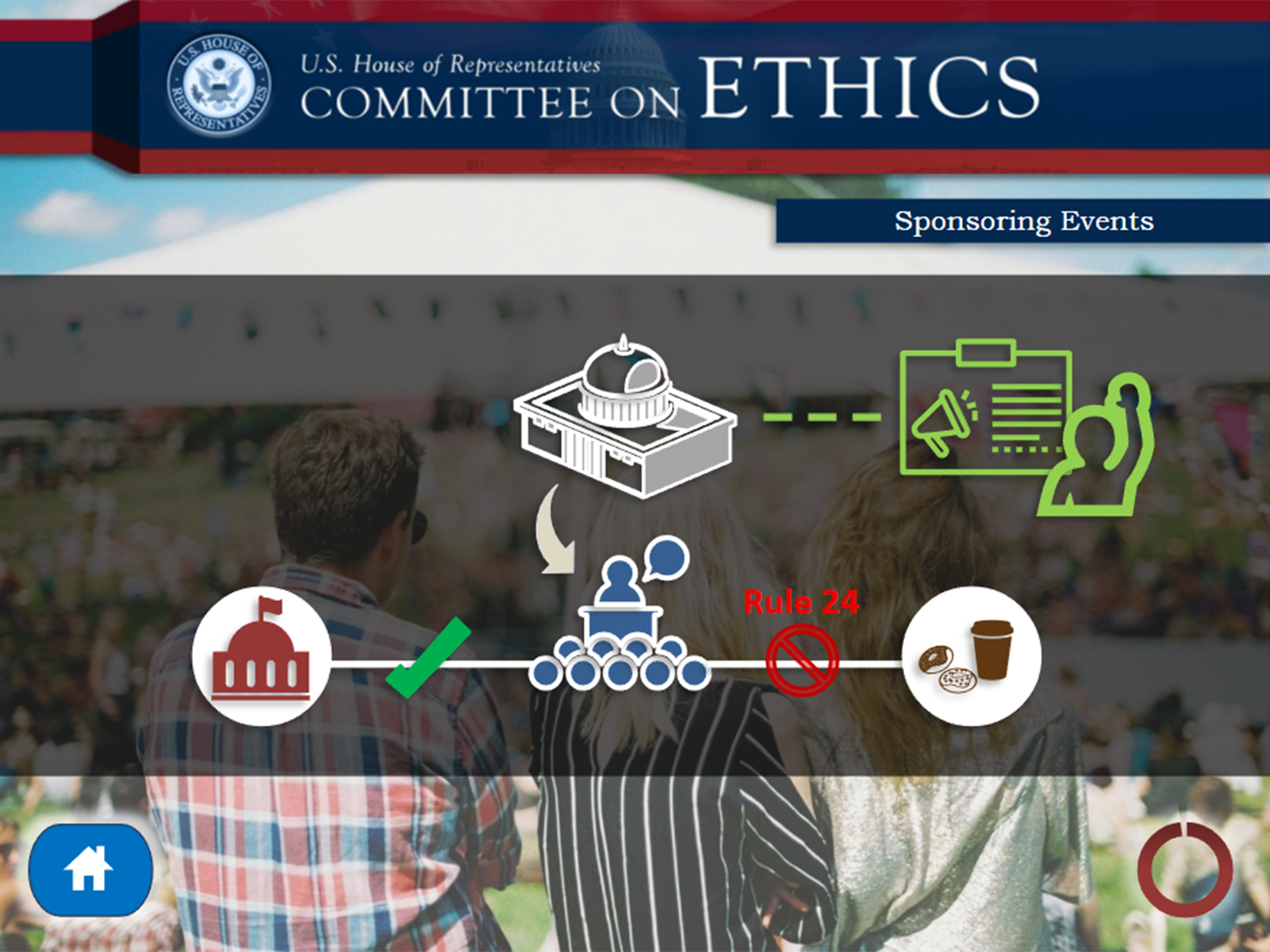
At all times, the user could navigate back to home (by request). The entire script was available to read via closed captions (not pictured). All visual elements shown on the page were synced to the script so that they appeared exactly when spoken about. I made these visual updates on top of a legacy training with an existing voice recording. This presented an extra challenge, as there was (by federally-mandated law!) no wiggle room with the content.
Memo-Writing Course (Instructor-Led Training)

I designed this course so that anyone could walk in and teach the class without knowing a thing. However, that is not typically the case! An important part of my business is finding experts and empowering them to lead classes. Learners want to hear from, and learn better from experts. For this, I surveyed dozens of members of House staff to better understand memos in their line of work. They acted as a panel to review my training before launch.
For the document, I used text formatting to make sense of many actions the facilitator must take. I synced the text content to images of the slides, so facilitators stay on track. I used MS Word to meet House staffs’ preference.
Business Bloom’s (Consultative Resource)
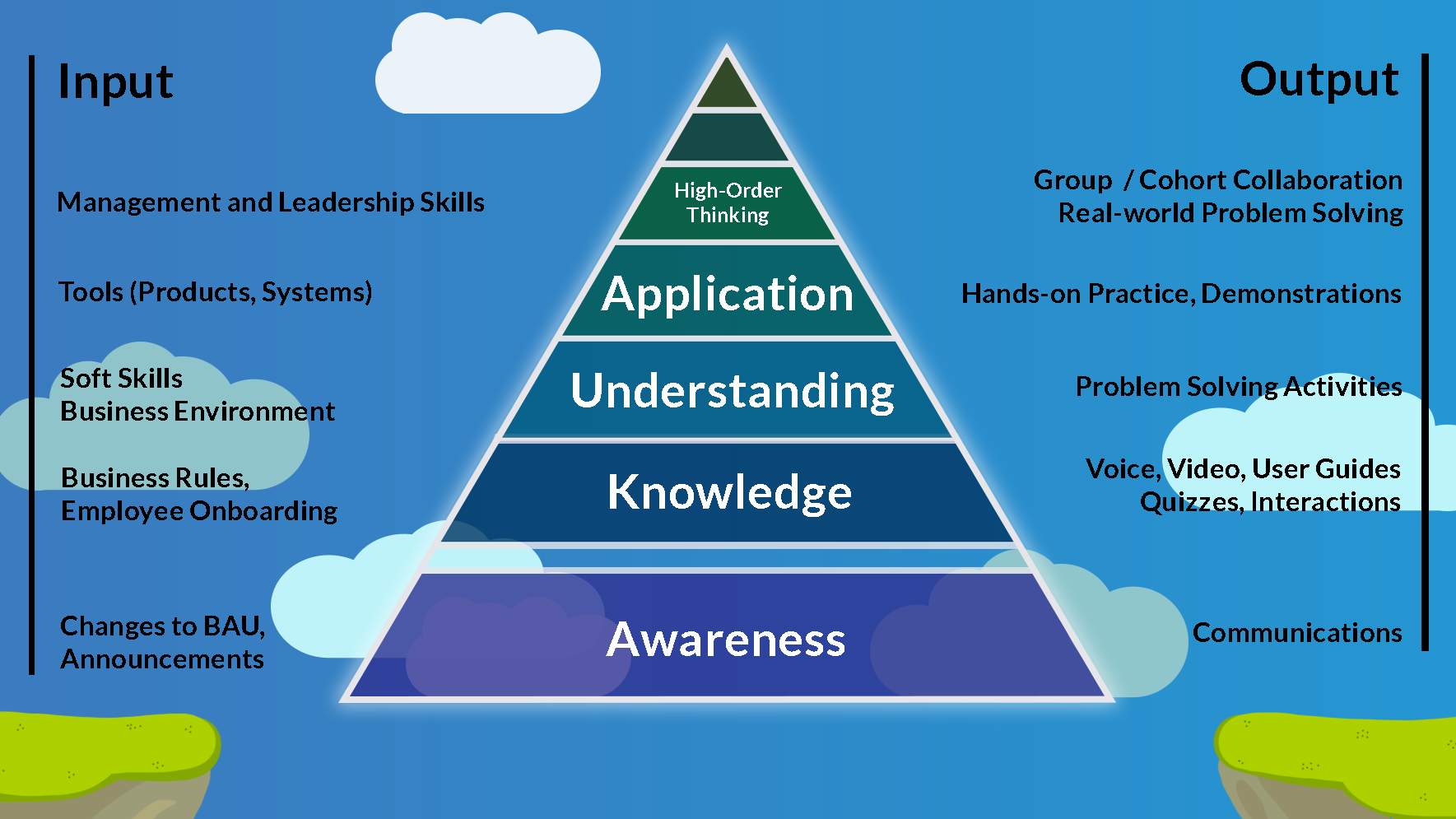
This is Bloom’s Taxonomy with some added insight. I call out awareness because it is not a training operation, but rather communication operation. See the Input on the left – these are what a client may ask of a training team. These line up with a level of Bloom’s based on required learning outcomes. Then on the right, Output – These are what the training team must create to achieve those outcomes.
Demo In-Take Process (Consultation Deck)
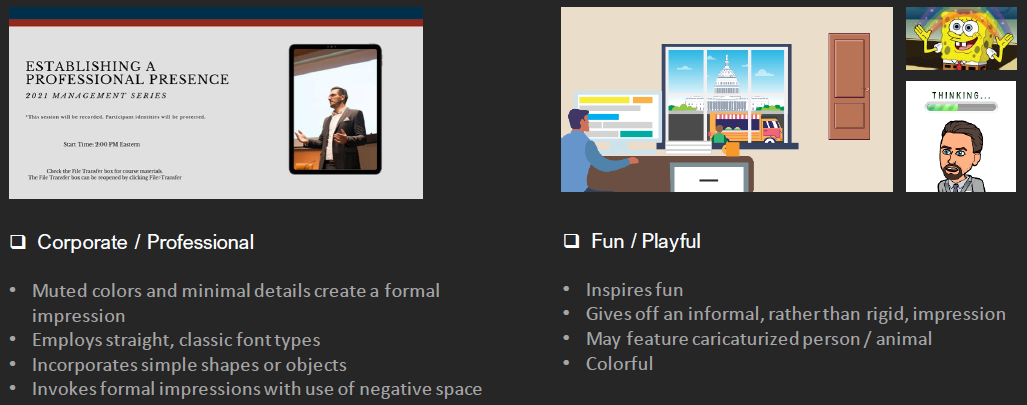
In-take is the most important part of “The Bridge” or the training process. I prefer to do things right the first time, so I create resources like this that ask all relevant training design questions up front. At DISH, I designed a tool to automate in-take through a web form, and even assign work to an available training developer!
The Support Mindset (Consultative Resource)

Training in business is a gap-fill pursuit. When done correctly, training can be a catalyst for other groups to work together. I run my training business with a support mentality and partner with as many other groups as I can.
Video Process Guide (Process Document)

Remote work and asynchronous learning have pushed video content to the top. Many businesses want microlearning in video form. Blogs and panels are quite common. Video development can account for a large part of training operations at any given time. I created this process guide so that my team and partners could succeed at creating video content. This guide includes the print-out shown above. I like to put print-outs on employee desks so that bulk information can be taken in over time.
ADDIE At Work (Consultative Resource)
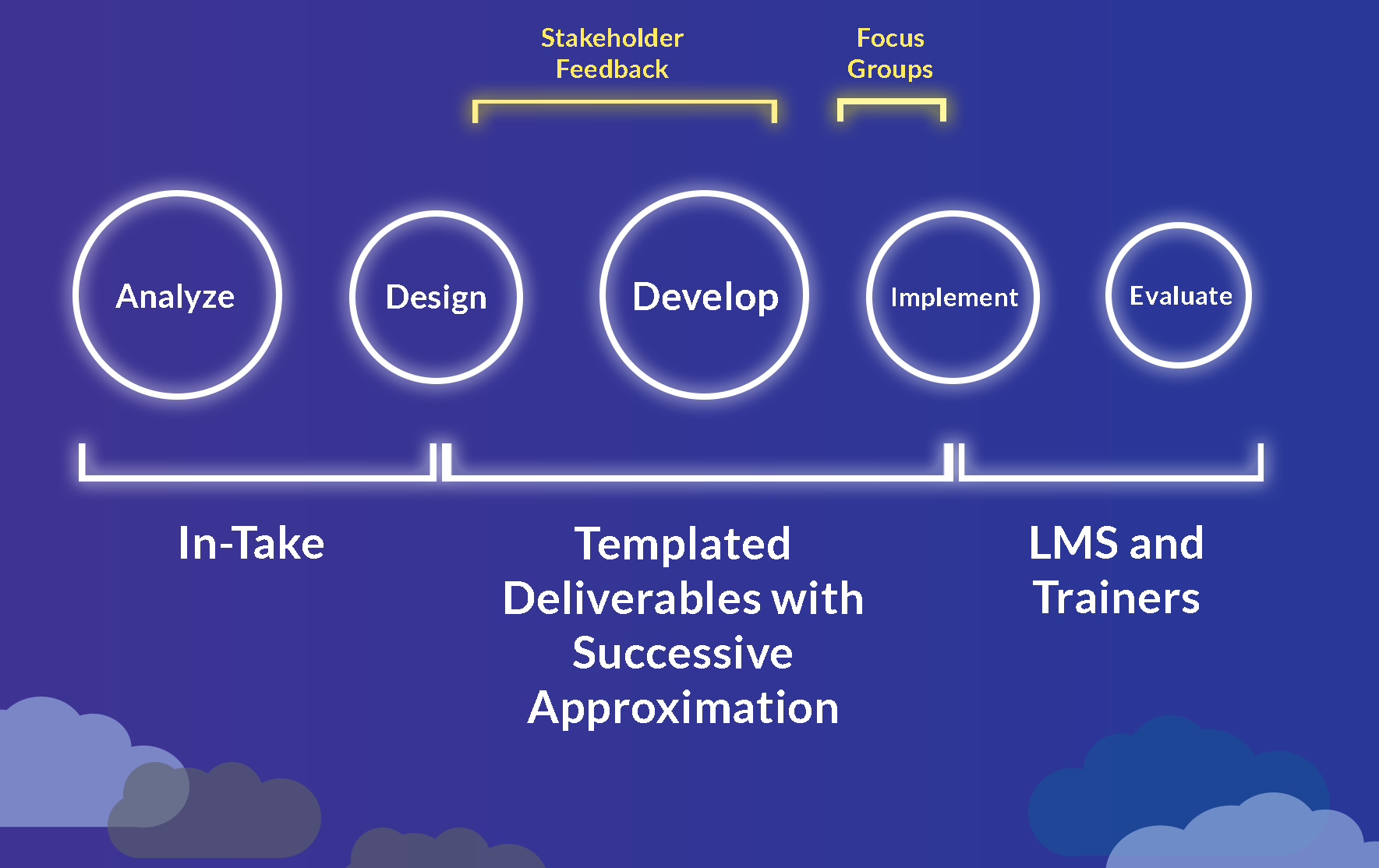
Training folks like to use ADDIE and SAM for design and development. This is how those models fit into my training process, which saves money and time.
Sergeant at Arms Emergency Preparedness (Computer-Based Training)
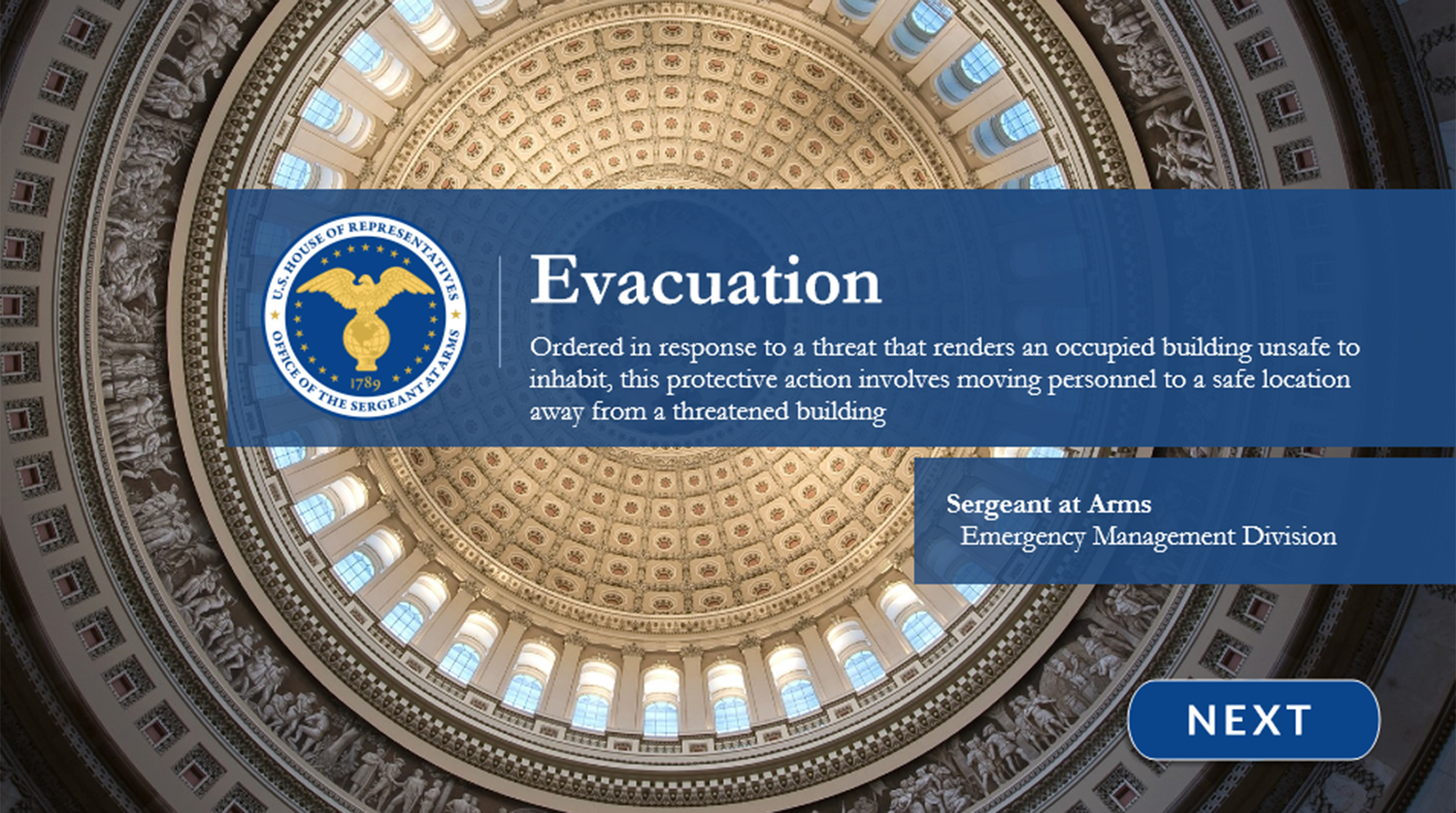
This project required an extremely fast turn-around. It looks polished because I leverage templates and reusable assets to save time.

The client requested I ingest an existing presentation without changing any content – only making it an interactive e-learning training. I added a custom banner, slide titles, navigation buttons, and adjusted their content for 16:9.
House Transit Benefit Program (Computer-Based Training)
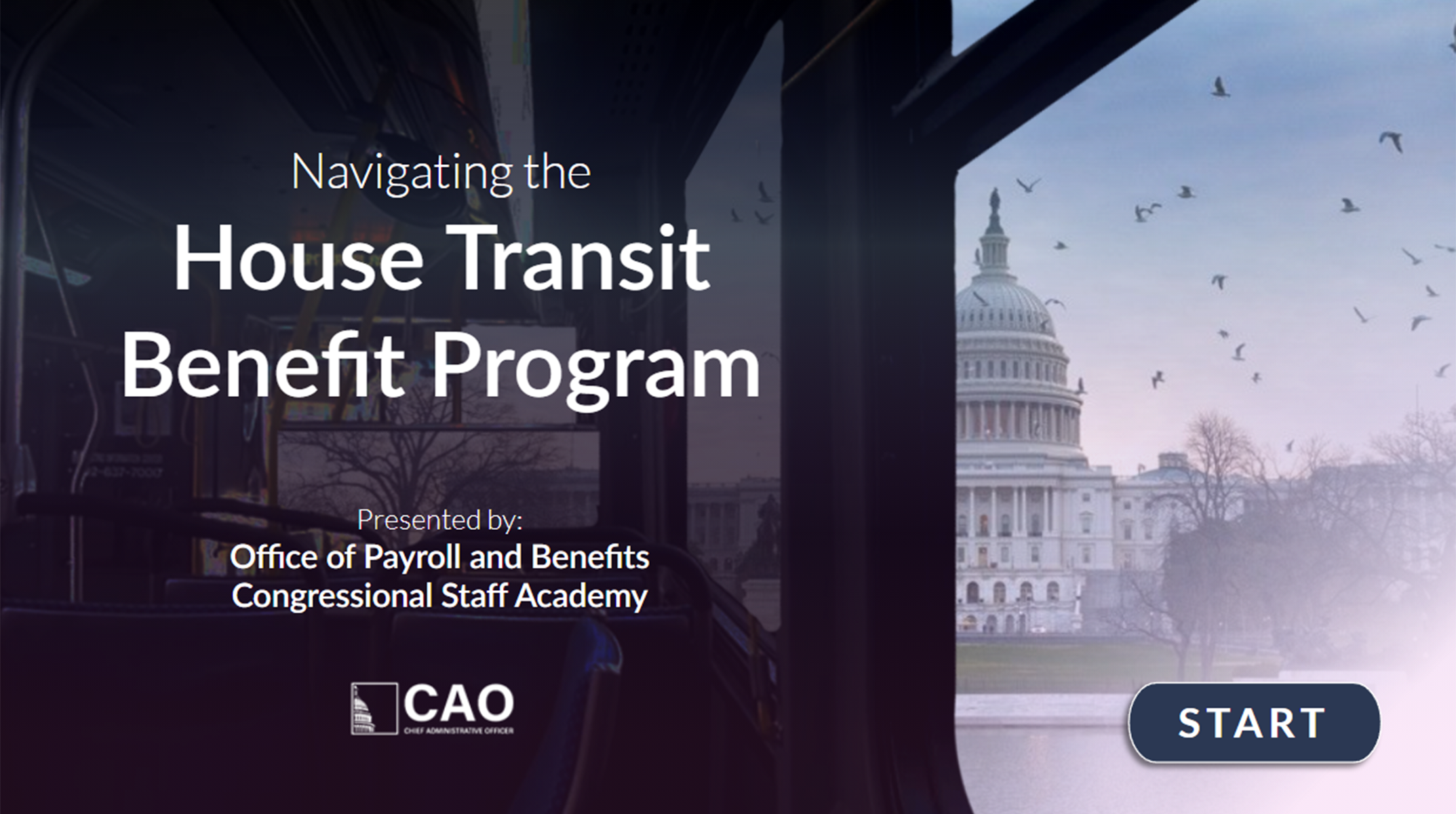
Beauty absolutely adds value to a training! When users see a training with cognitive authority, they pay attention. I strive to capture users’ attention with subtly moving graphics. I am sure to appropriately represent the client and content itself.
The Business of Training (Consultative Resource)

Here, labor competency must overlap business process. In other words, your employees must know what they are doing or selling. “A” is training operations – my domain. I help businesses make sense of their processes and create a deep, shared understanding among staff.

Thank you for taking the time to review my hard work! Click below to view or download my resume.
Please contact me at JCKRT1@gmail.com, I’d love to talk training!

 JCKRT.COM